
DepotMaster · for depots & terminals
The depot system your yard staff actually use.
Orders in, container in, stored, inspected, estimated, repaired, out, invoiced, reconciled. One record per unit, one system for the office, the gate, the handler and the workshop — in a browser, on whatever device is already in the yard.
Nothing installed, nothing per-seat to license on a shared tablet, and no separate app per customer to keep up to date. One subscription, and every update is ours to manage.
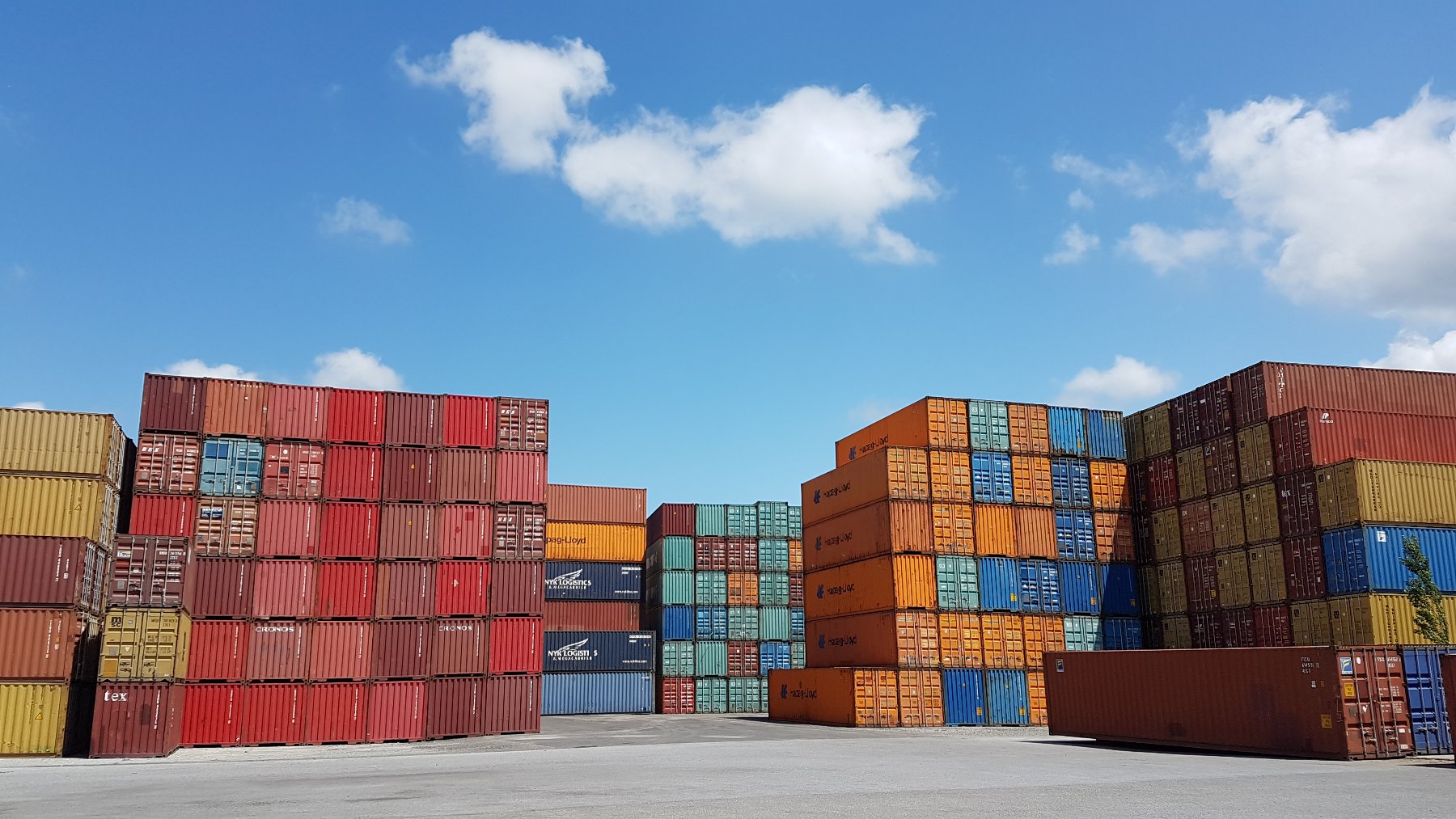
The working day, in order
Nine stages, one recordOrders
Redelivery and release orders, raised by hand, received as EDI, or entered by the customer or trucker in their own portal.
Pre-inspection
The unit is looked at and photographed before it is accepted, with the pictures already attached to the record.
Gate in / out
Blacklist and whitelist applied at the moment of the move, so a unit that should not be taken is stopped at the gate, not discovered later. On the way out the release order and the unit's condition are both checked, the EIR is issued, and stock and customer are updated in the same move.
Container Handler Panel
The Container Handler Panel runs on a tablet in the cab: the next move, confirmed where it happens — against a live 2D and 3D model of the stack.
Estimate
OCR reads the container number, the full inspection follows with pictures assigned to the estimate line they prove, and the estimate goes out priced on that customer's own price list and in that customer's format.
Authorisation
Approvals land back on the estimate — as a message where the line has EDI, as a bulk import where it sends a list. Gaps are flagged before work starts.
Work order
The authorised estimate becomes the job. A simplified self-service control panel lets the shop take and close work without office paperwork.
Storage
Dwell time runs from gate in against the free days and the storage tariff agreed with that customer, on the same record the invoice will read at month end.
Invoice & reconcile
Invoicing runs off authorised and completed work, storage and handling; the line's self-billing file is imported and compared line by line against it.
Modules included
Not a menu of upgradesInvoicing
A flexible billing run over storage, handling, repairs and additional services, with self-billing import and reconciliation built in rather than done in a spreadsheet afterwards.
Reporting & BI
Standard operational reports plus a custom report generator, so a customer's odd request becomes a saved report instead of an export and a manual rework every month. Integrated BI modules cover the analysis in-house, and API interfaces feed the BI tool your own group already runs.
Price lists
Rates are held per customer and applied automatically to estimates and invoices, so the figures on the estimate are already the contracted ones.
Pictures
Photographs are taken into the record at pre-inspection and at estimate, tied to the line item they justify, and pushed to the customers that accept picture upload.
Trucker portal
Hauliers look up their own release and redelivery orders and book a slot instead of calling the gate office. It is the entry point to the truck appointment system — on its own it streamlines gate work in the office, or it works with OCR gate portals: the lane reads the truck plate and container number, and DepotMaster tells the portal whether the barrier may open. A port community system can take its place. Fewer calls, fewer wrong arrivals.
Customer portal
Your customers see their own containers, orders, estimates and damage pictures, with predefined reports — the questions they used to email you, answered before they ask.
The yard as a digital twin
Interactive 2D and 3D · live stockThe stack is not a list of positions — it is a model of your facility you can turn, zoom and click. Every box drawn is a real unit at its real position, coloured by whatever you need to see: customer, grade, size and type, damage status, days in stock. A 2D plan view for planning the day, the same yard in 3D for seeing how it is really stacked.
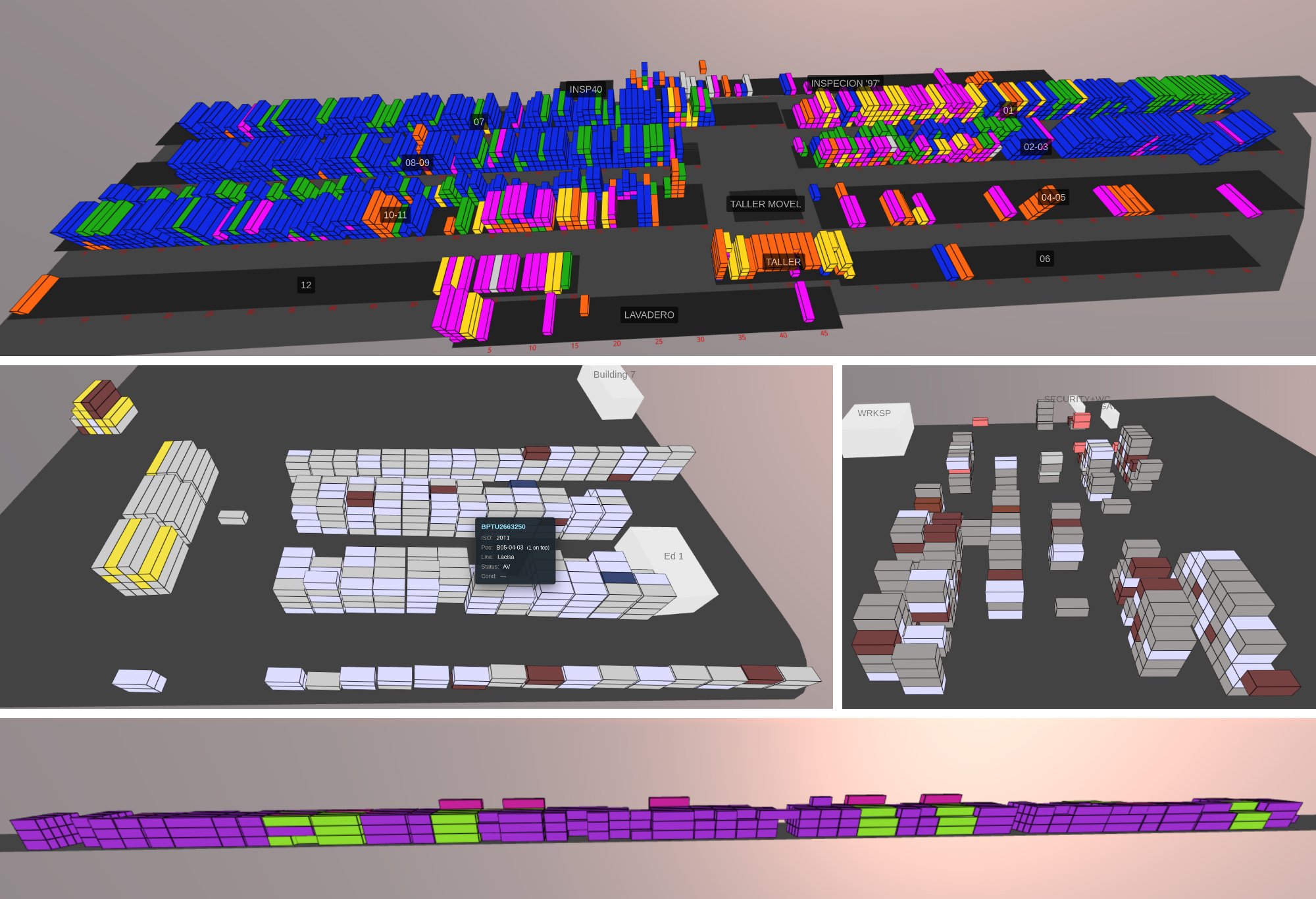
The whole facility — blocks, rows, tiers, workshop, wash bay and inspection lanes named as your staff name them.
Down at block level: individual tiers, part-filled rows and the gaps you can actually use — the same data the inventory list holds, in the shape the yard has.
Recolour the yard by customer, size and type, grade, damage or dwell time and the answer is visible without reading a single row.
Selecting a container opens its record — orders, inspection, estimate, pictures — from where it physically stands.
Front loading and side loading are both modelled, so reachability is judged by the equipment you actually run — not by a generic grid.
For every unit coming in, the system calculates where to put it — grade, size, type and customer grouped, and the box kept reachable for the way it will leave. The driver confirms or picks another position.
Buried units, blocked rows and wrong-grade stacks are obvious before the truck arrives, so the handler moves once instead of three times.
No plug-in and no CAD licence. It runs in the same browser tab as the rest of the system, on the office PC and on the yard tablet.
The full functional scope
For the people who want the listGate, yard & stock
- Release orders and booking management, with validation and cross-referencing
- Redelivery management with validation
- Gate in / gate out with validation, whitelisting and blacklisting
- Stack and yard positioning, with an interactive 2D and 3D digital twin, front- and side-loading support and next-position suggestion
- Inventory management across locations
- Container Handler Panel on a tablet
The M&R cycle
- Preliminary inspection before gate in
- Tariff-based estimates with multiple quotation to IICL, CW, UCIRC and WWT standards — or any other standard you add yourself — in CEDEX, COA or Maersk coding
- Each line’s own tariffs, including custom codes
- Inspection-criteria based estimate creation
- Damage allocation to the responsible party, with DPP and insurance
- Vendor quotations with discounts and special tariffs
- Compliance checks against the depot's and the manufacturer's price lists
- Automated or manual estimate transmission
- Approval chasing, import and management
- Damage pictures linked to the estimate lines
- Work orders with a dedicated workshop interface
- Repair completion transmission
- Manual input mode for depots that are not EDI ready
Money & reporting
- Handling invoicing
- Storage invoicing with free days and stock-based tariffs
- Self-billing validation and invoicing
- Daily and periodic activity summaries
- Standard and fully customisable reports, exported to Excel, HTML or PDF
- Statistical analysis with graphs
- Revenue analysis with graphs
- Integrated BI modules, with API interfaces for your own BI tools
- Multi-location support as the business grows
Mobile modules — the Container Handler Panel, the surveyor's estimation screen, the camera app and the workshop interface — are part of the system, not separate licences. They run on the mobile network: steel stacks block Wi-Fi, 4G/5G reaches between them, and there are no access points to install or cabling to lay. They work online only — if the signal drops, the screen waits for it, so no move is recorded against an outdated yard plan. Support comes remotely and on site from staff with depot experience, covers your processes and customers as well as the software, and is fully included in the contract.
Reporting
Because every move, estimate and invoice sits on one record, the figures a manager needs come straight out of it: dwell time, turnaround, M&R backlog, revenue per customer and the daily activity, by facility or across the network.
A custom query builder lets your team ask its own questions of the data. When you need a report that does not exist yet, we build it for you — quickly, and as part of the support.
Your customers, message by message
Everything above runs against the lines you already work for. Which steps are automated depends on what each one offers — MSC, Maersk, Hapag-Lloyd and COSCO take estimates, pictures and completions straight through, others accept the estimate but send approvals as a list, and for the rest the same chain runs on an automated PDF and a bulk import. Send us your customer list and we will tell you exactly where you stand.
Coverage per customer →Reefers need more than a box estimate
Machinery data, PTI results, manufacturer parts lists and per-manufacturer terms all belong on the same estimate as the box damage. That is the estimates and workshop module — included if you run DepotMaster, and available on its own as DepotMaster Workshop alongside an external TOS.
DepotMaster Workshop for an existing TOS →Already have a terminal system?
Container and gate data can come in from what you already run, by API or CODECO. DepotMaster can take the inspection, repair and billing side without touching how you move boxes.
Integrations and coverage →Walk through a working depot.
We show the whole chain on a working system — orders, gate, inspection, estimate, authorisation, workshop, invoice — and answer the questions about your own customers as they come up. An hour, nothing to prepare.
Book a walkthrough